
After two years in development, we’re happy to announce that our new project called Recorte is now available!
What is Recorte?
Recorte is a standalone audio editor designed for sample creation.
It includes powerful features specifically built for recording, editing, processing and exporting samples, such as: an advanced audio recorder (with multiple recording modes), effect chains, sample chain generator, batch editor, Lua scripting, customizable macro-style shortcuts, MIDI playback, background audio processing, automatic region and transient detection, batch region renaming, and many others.
Recorte can be used to:
Record, edit, and process samples from hardware instruments
Split sample recordings into separate audio files (such as a recording containing multiple takes or old sample libraries)
Slice loops by the grid
Manually chop audio recordings
Trim audio samples to reduce file size
Separate individual sounds from field recordings
Automatically sample external MIDI instruments
Audio files can be split into multiple regions that can be created manually or automatically via the region detector, transient detector, slices, or even scripting.
It also includes 25+ built-in effects (Fades, Normalize, Compressor, EQs, Bit Crush, Granular, Spectral Gate, Time Stretcher, and more) that can be applied directly to the audio file or combined non-destructively via the Global and Region Effect Chains.
Development & Backstory
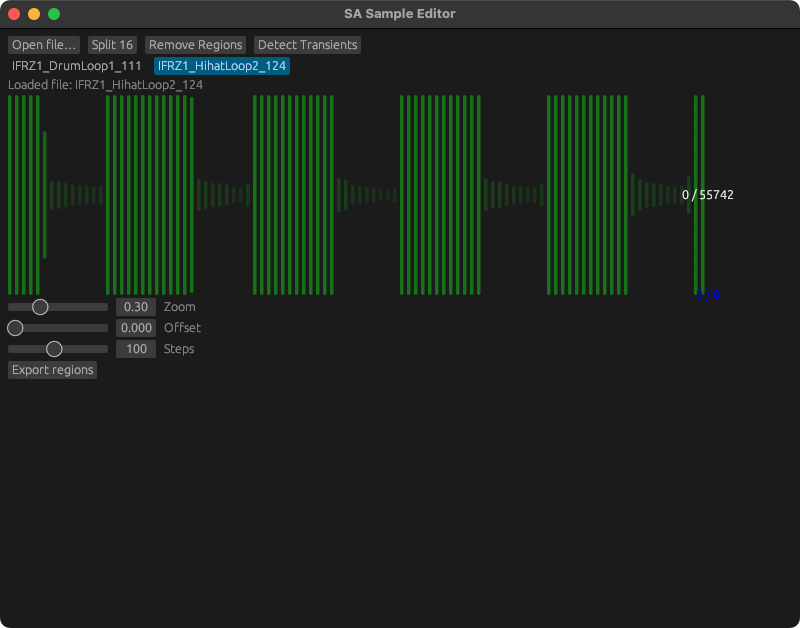
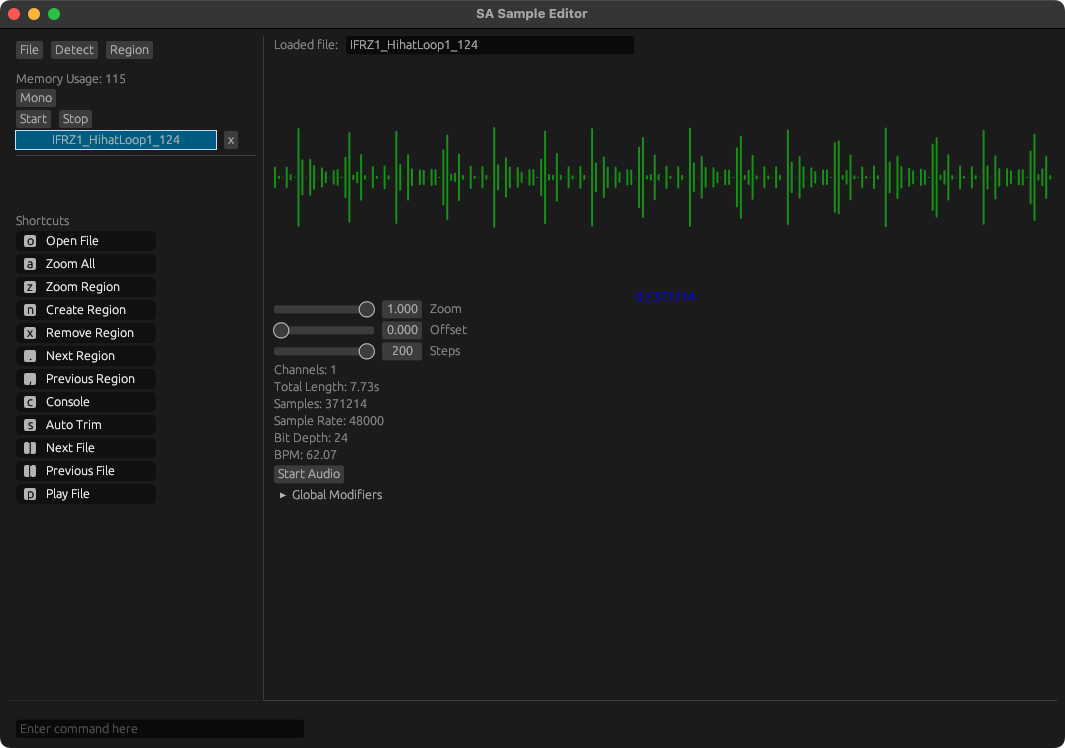
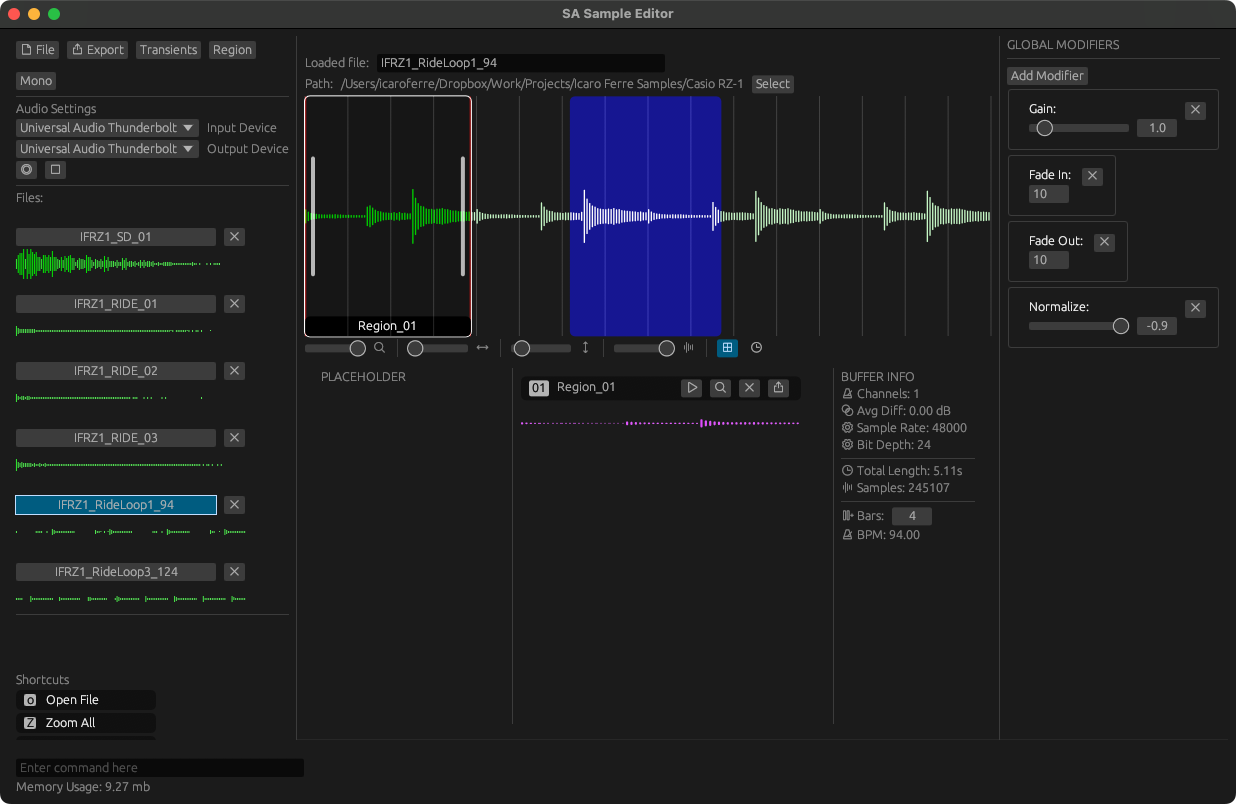
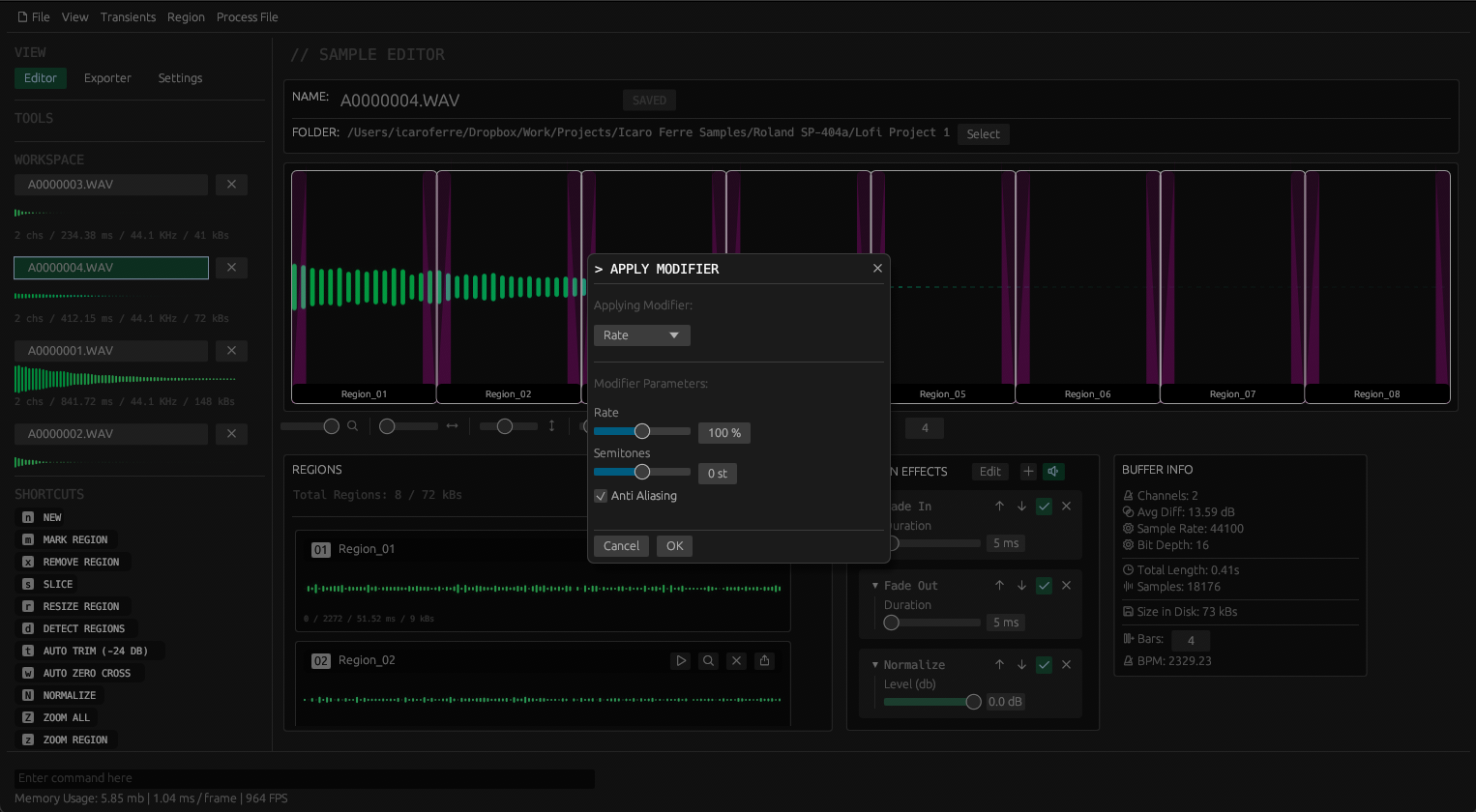
As someone who enjoys exploring sample-based workflows and different software and hardware samplers, I'm always creating samples using different hardware instruments that I have around my studio.
While I have been using the same DAWs for decades and most DAWs are more than capable of recording and loading samples, I’ve found that most of their features are mostly designed for music creation, which often leads to slower and more tedious workflows when it comes to creating and editing multiple samples.
So, around November 2024, I decided to work on a new project to explore these different ideas I had around sample creation. My goal was not to replace DAWs, but rather to create an app that I could use during pre-production or whenever I wanted to focus on creating and preparing samples.
A specialized tool designed for creating and editing samples, that I could run on any of my computers, and that offered a more integrated workflow, and fun to use and explore.
After almost 2 years of active development and many iterations, Recorte 1.0 is finally available on macOS, Windows and Linux.
( Note from Icaro Ferre: I’ve also written an in-depth blog post about Recorte’s development process that is available on my website.)
UI / Editor
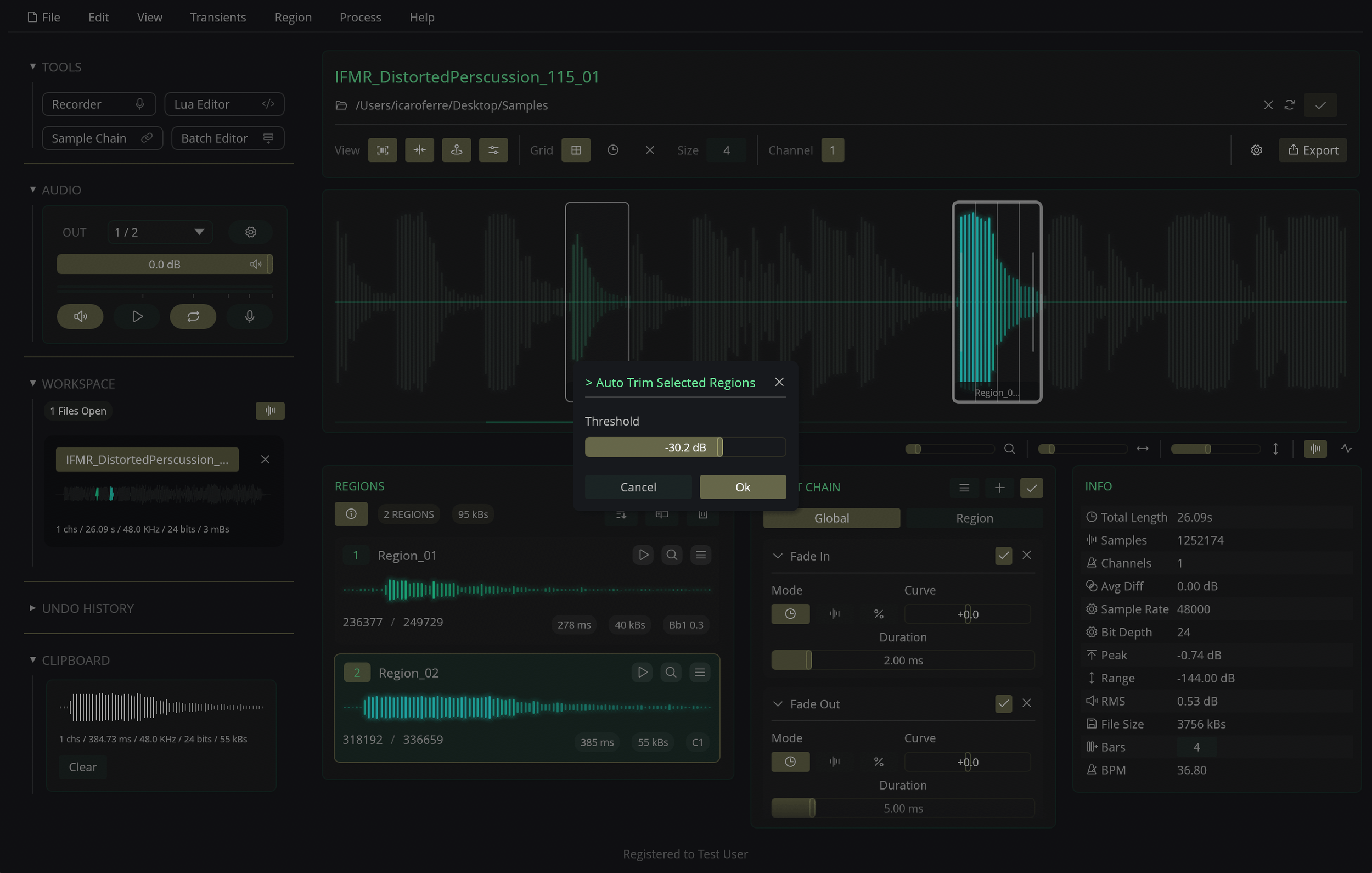
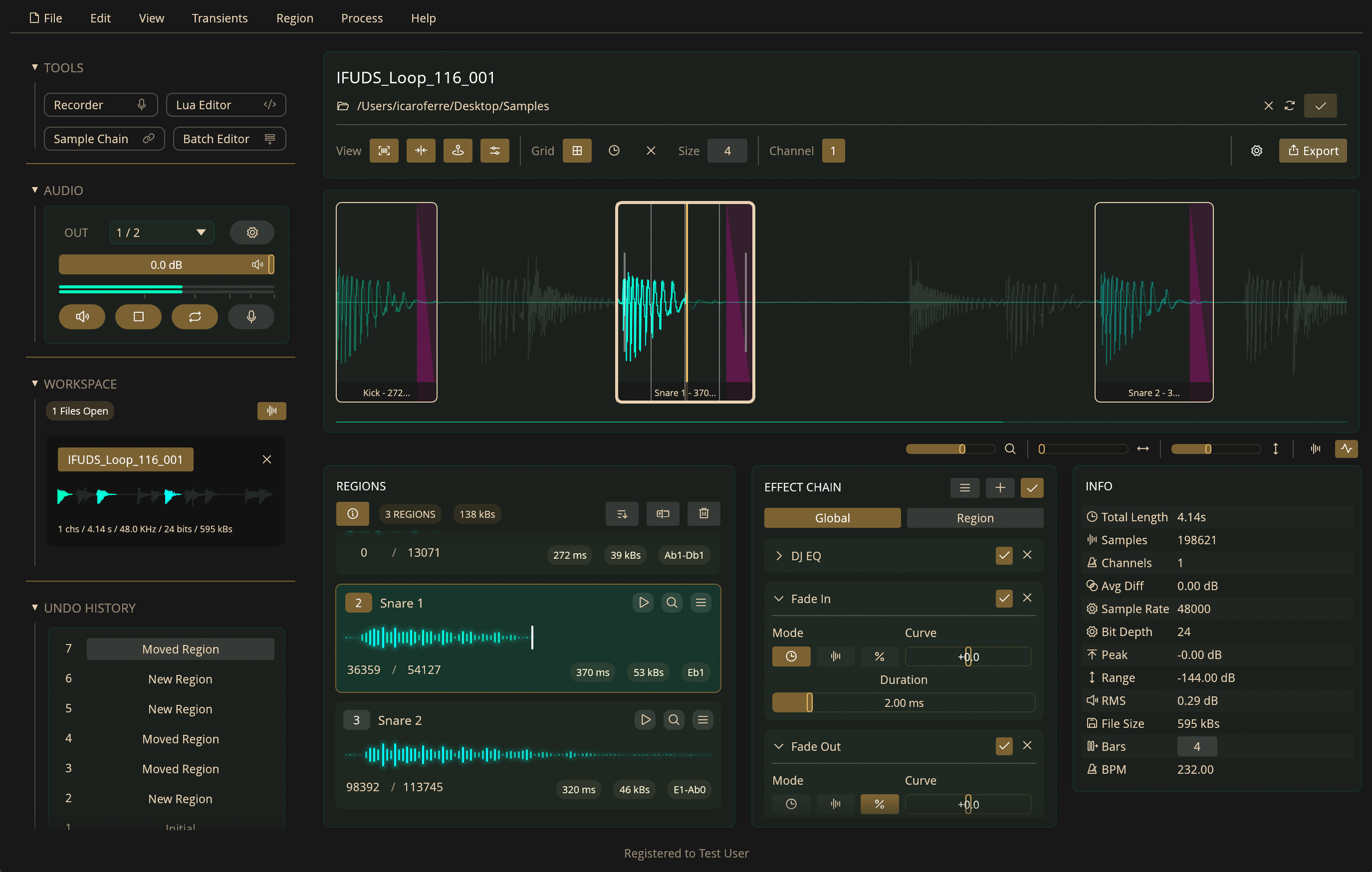
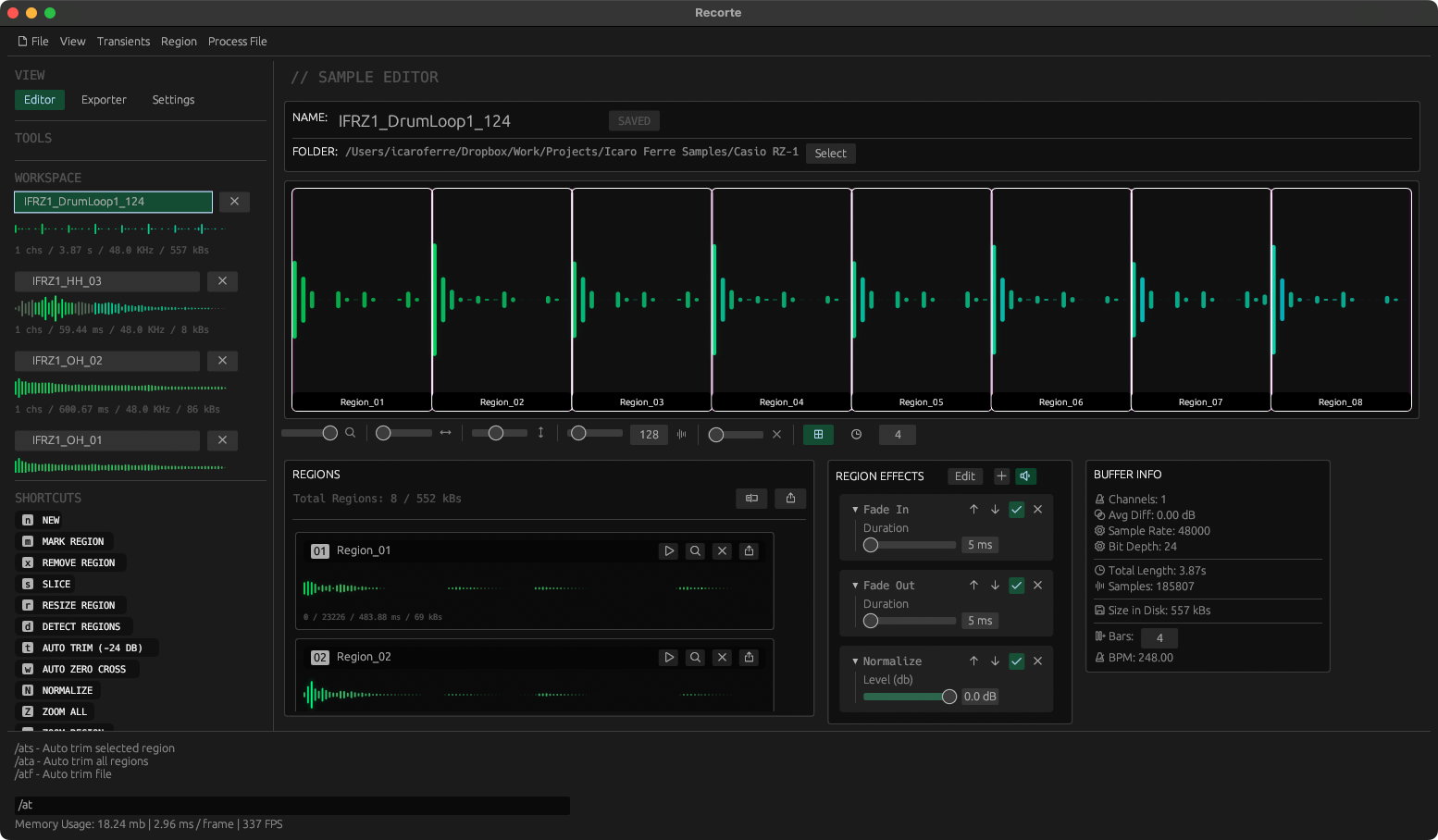
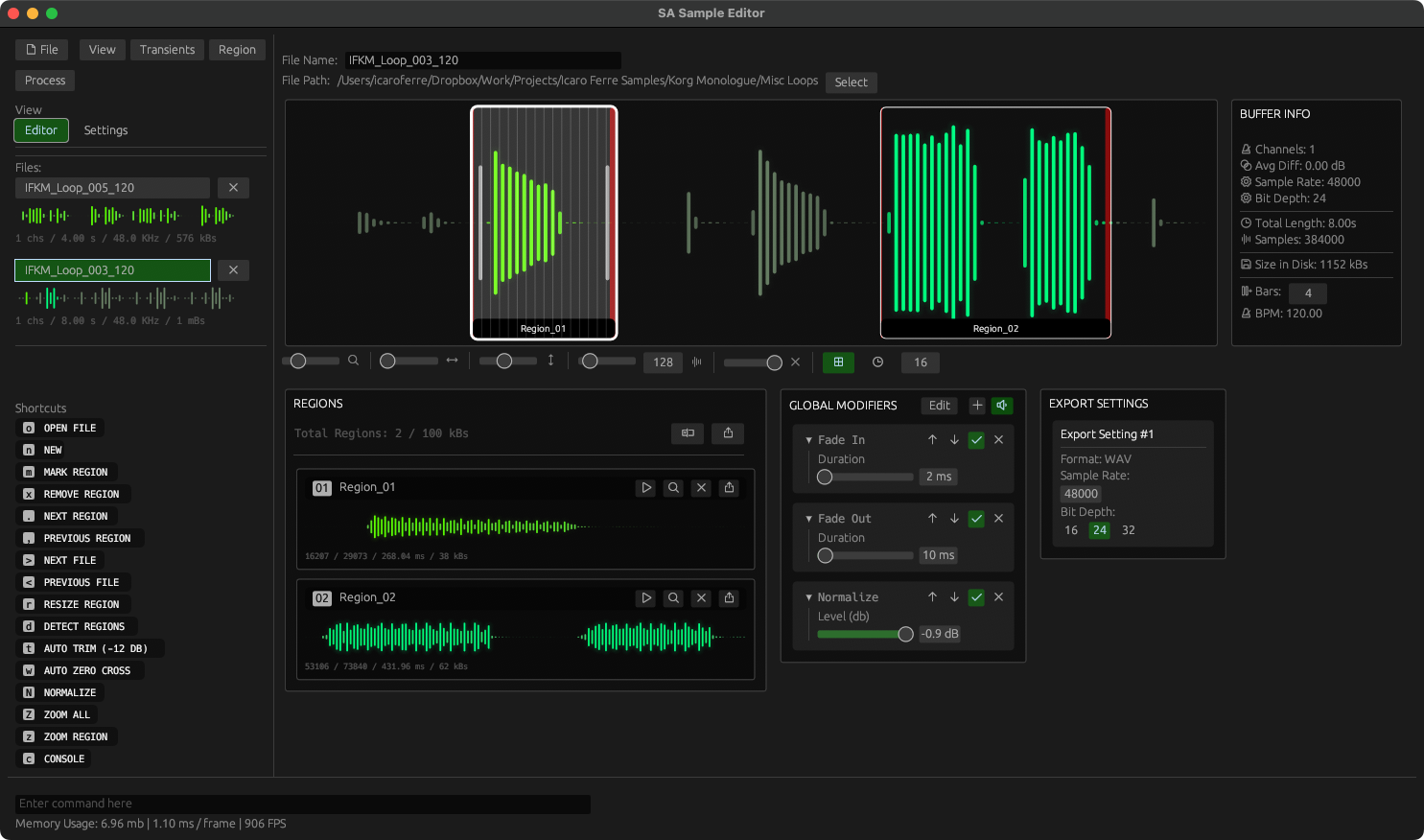
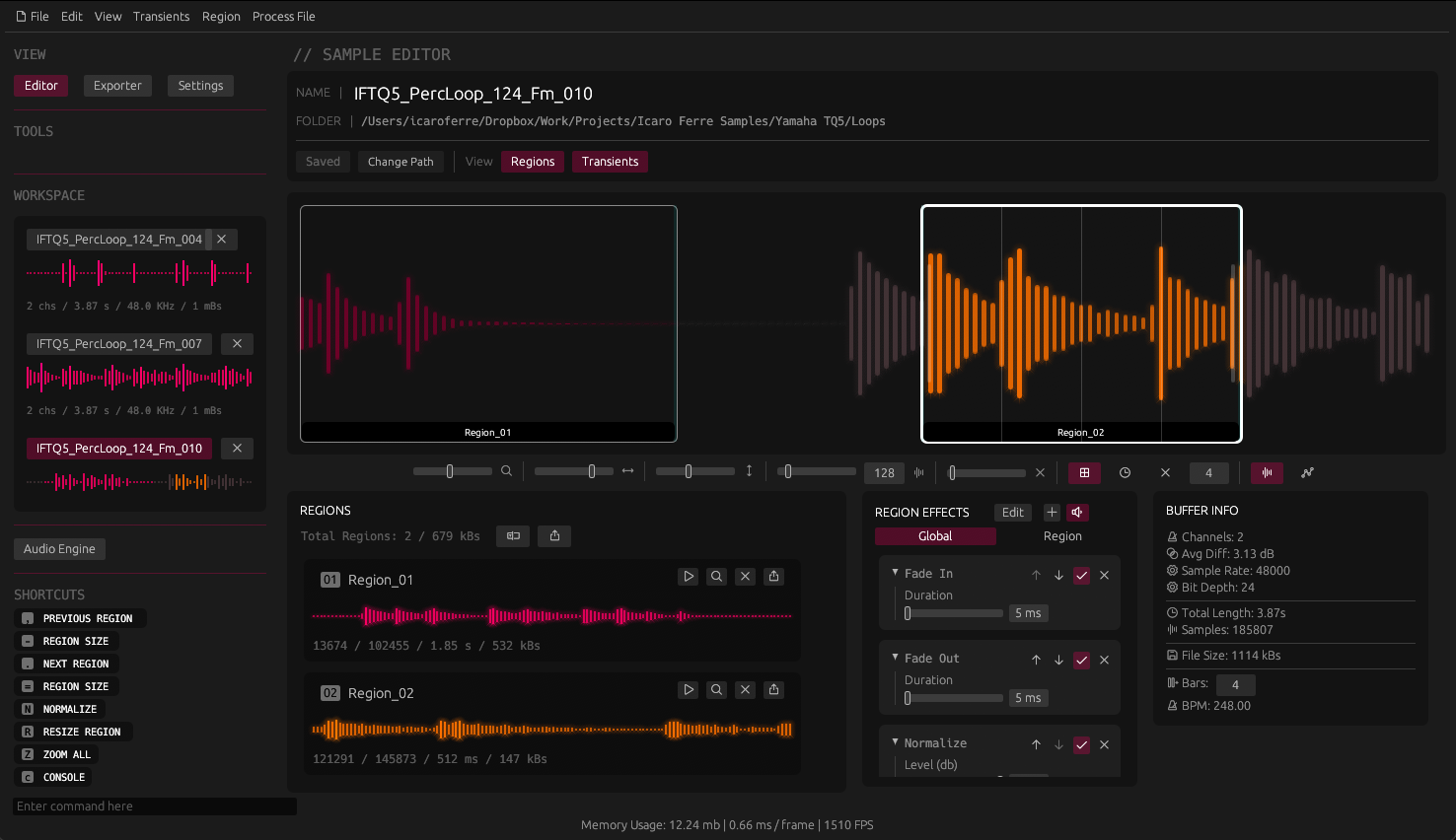
The main UI in Recorte was designed to be simple to navigate and interact with.
It features an interactive waveform display that lets you make selections, edit regions, and set playback position using your mouse, a regions list to manage regions, effect-chains to add and edit effects, and an Info panel that shows technical details about the loaded file, such as sample rate, bit depth, and length.
Features
Regions
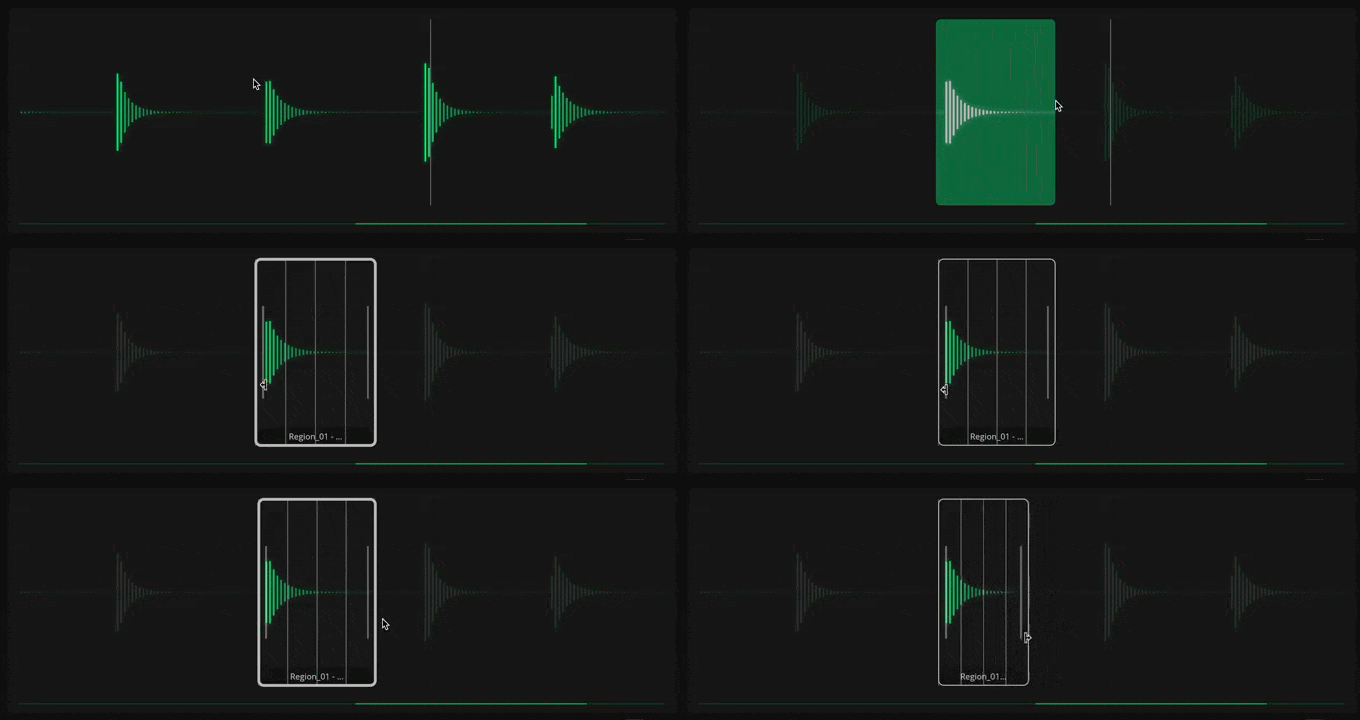
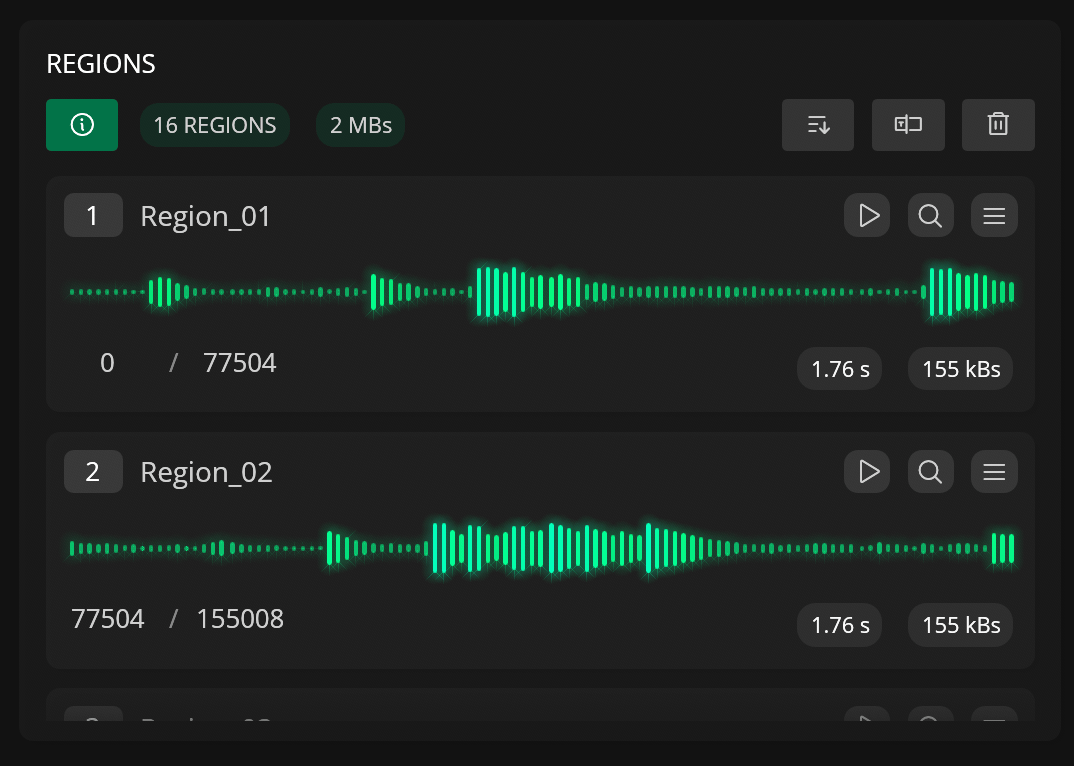
REGION LIST
Regions are an essential part of Recorte and they are used to define sections that can be exported as new files in the Workspace or as individual audio files.
Because of this, Recorte features different ways of creating and editing regions.
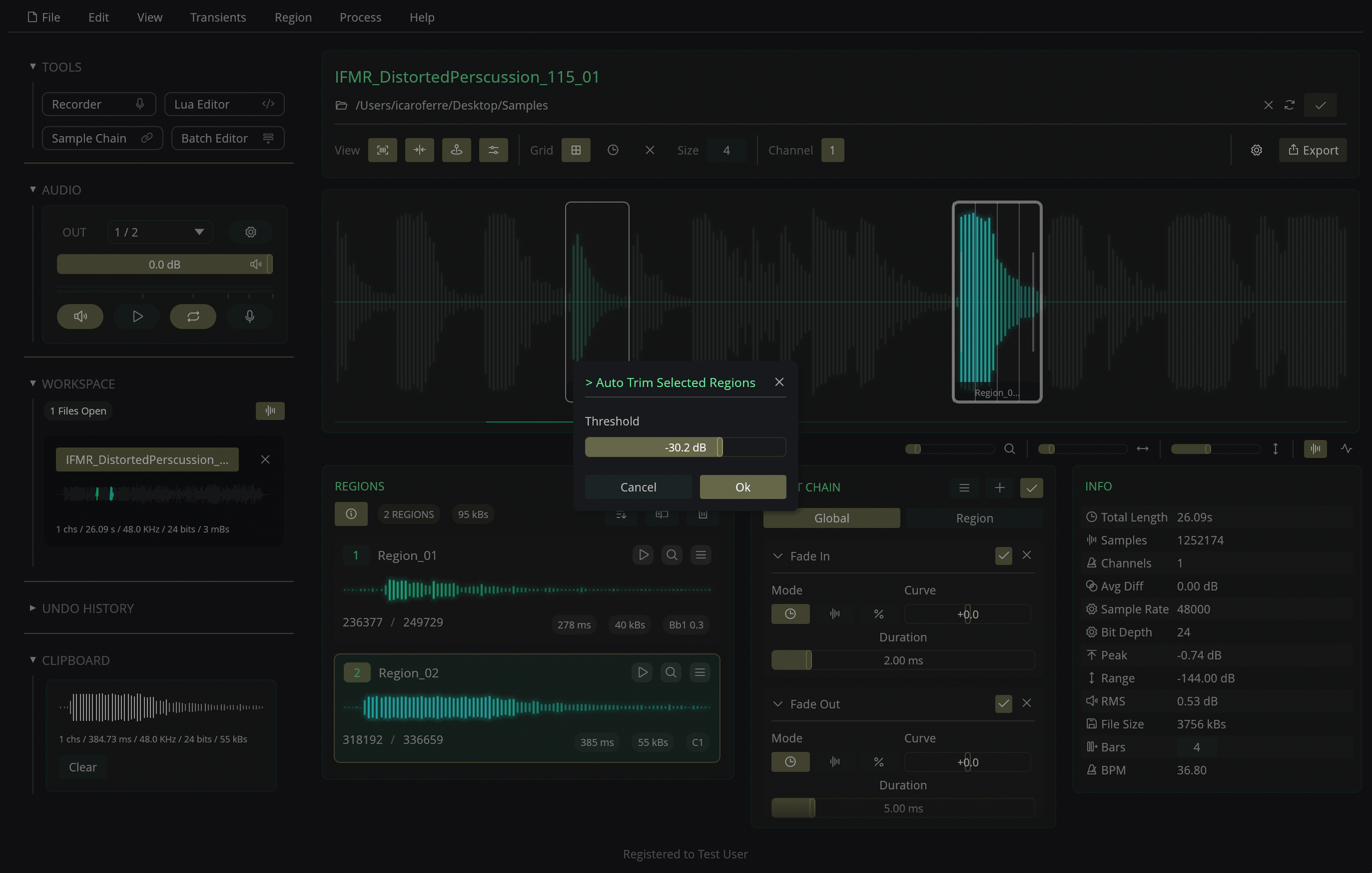
Regions can be created manually (by clicking and dragging on the main waveform display) or automatically based on volume, transients, grid slices, or Lua scripts.
After a region is created, it can be edited via the waveform display, the Regions list, or any of the available region-related actions (duplicate, resize, extend, etc).
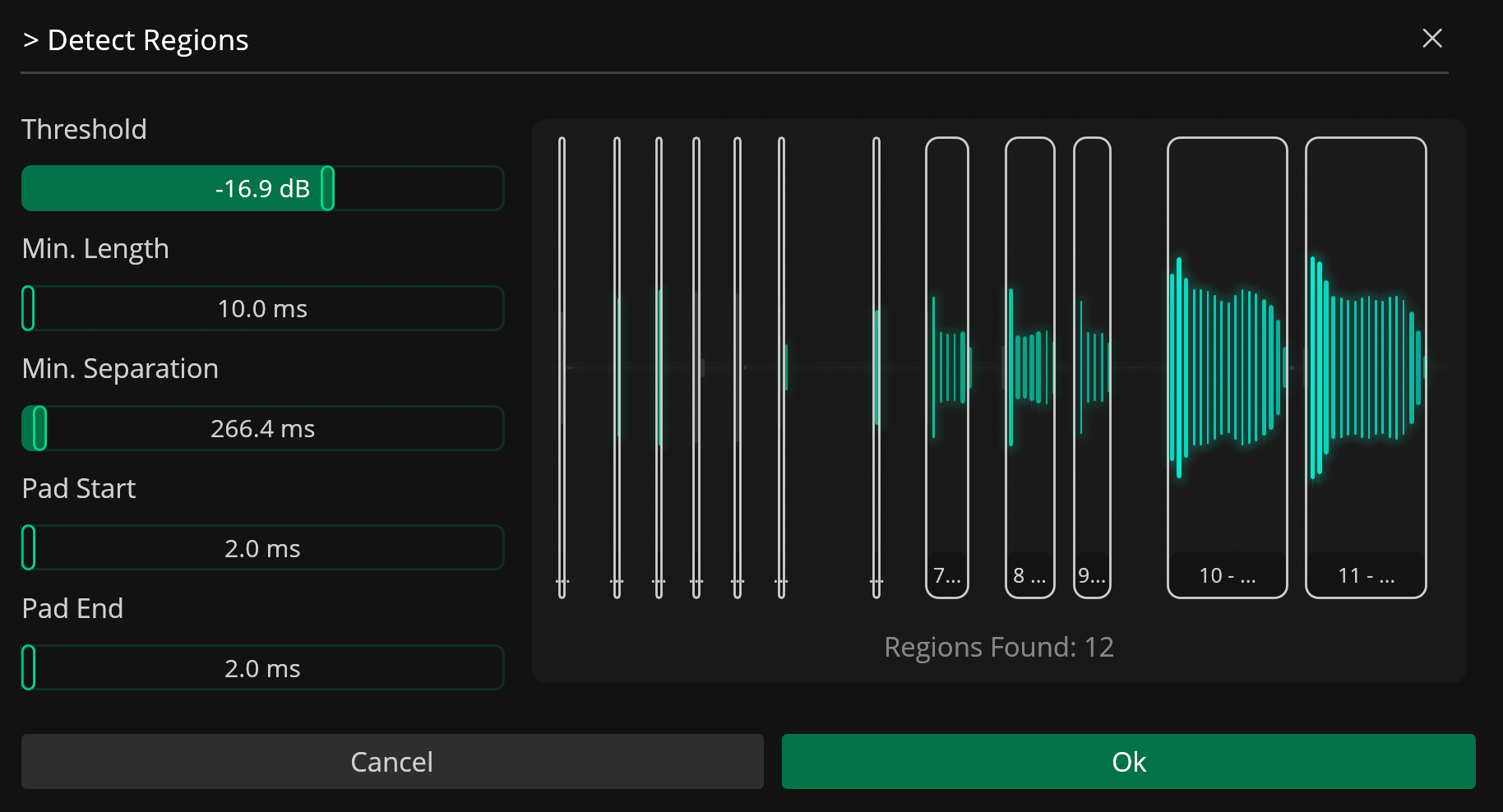
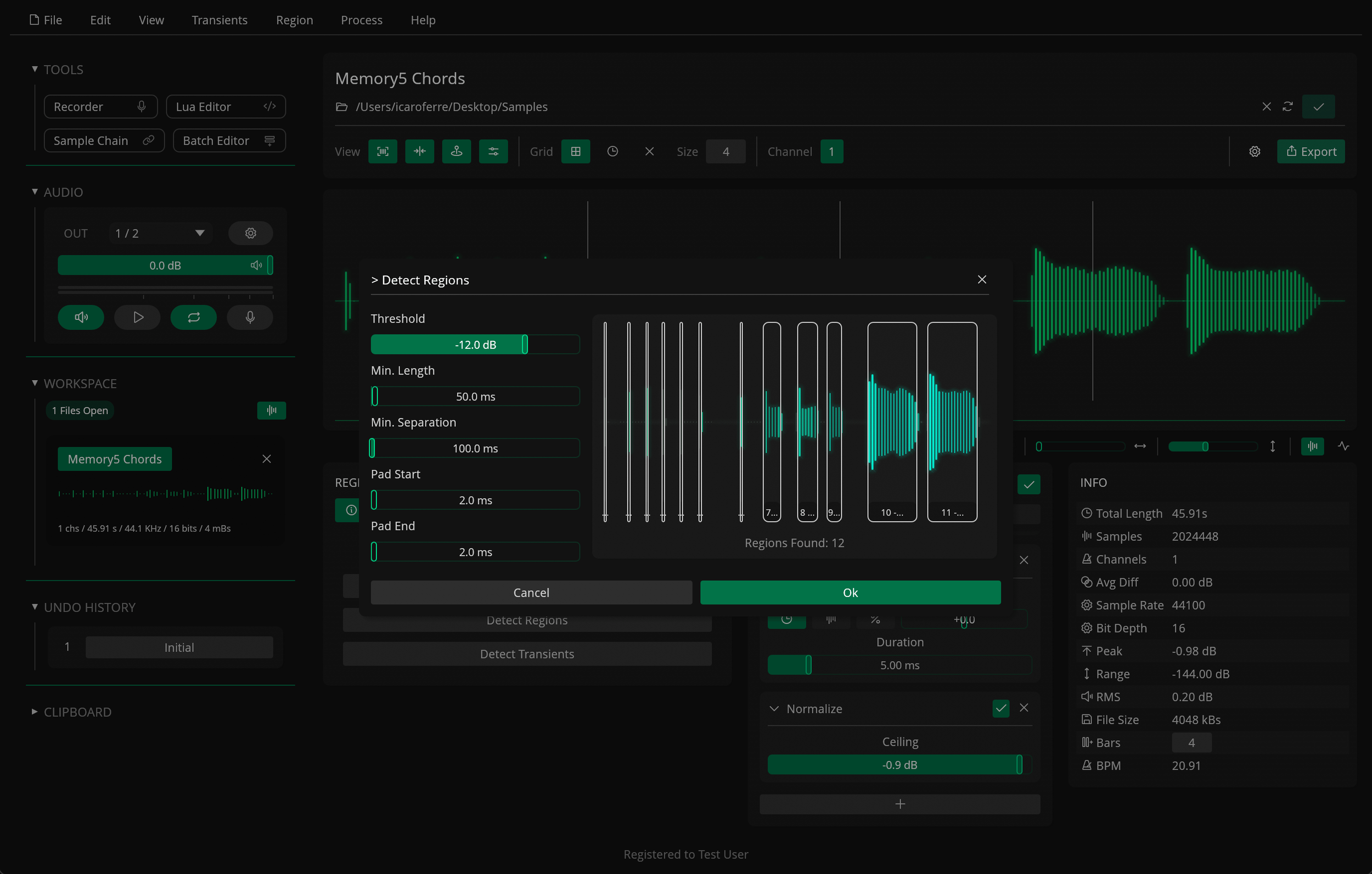
Automatic Region Detection
The Detect Regions action lets you automatically detect relevant sections in an audio file based on amplitude tracking and adjustable parameters.
Slices & Transients
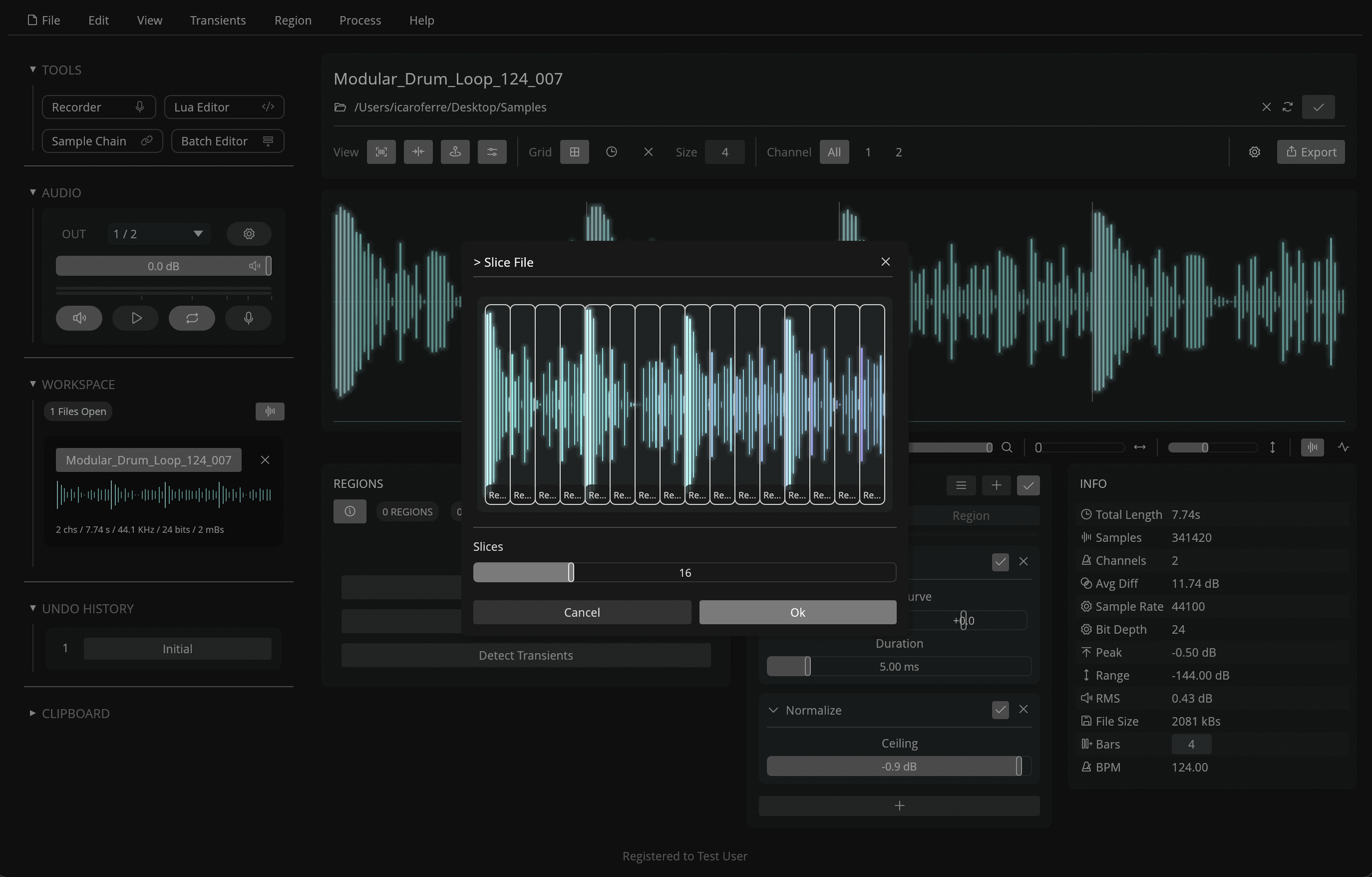
Regions can also be created based on transients or equal-length slices.
DETECT TRANSIENTS
SLICE FILES
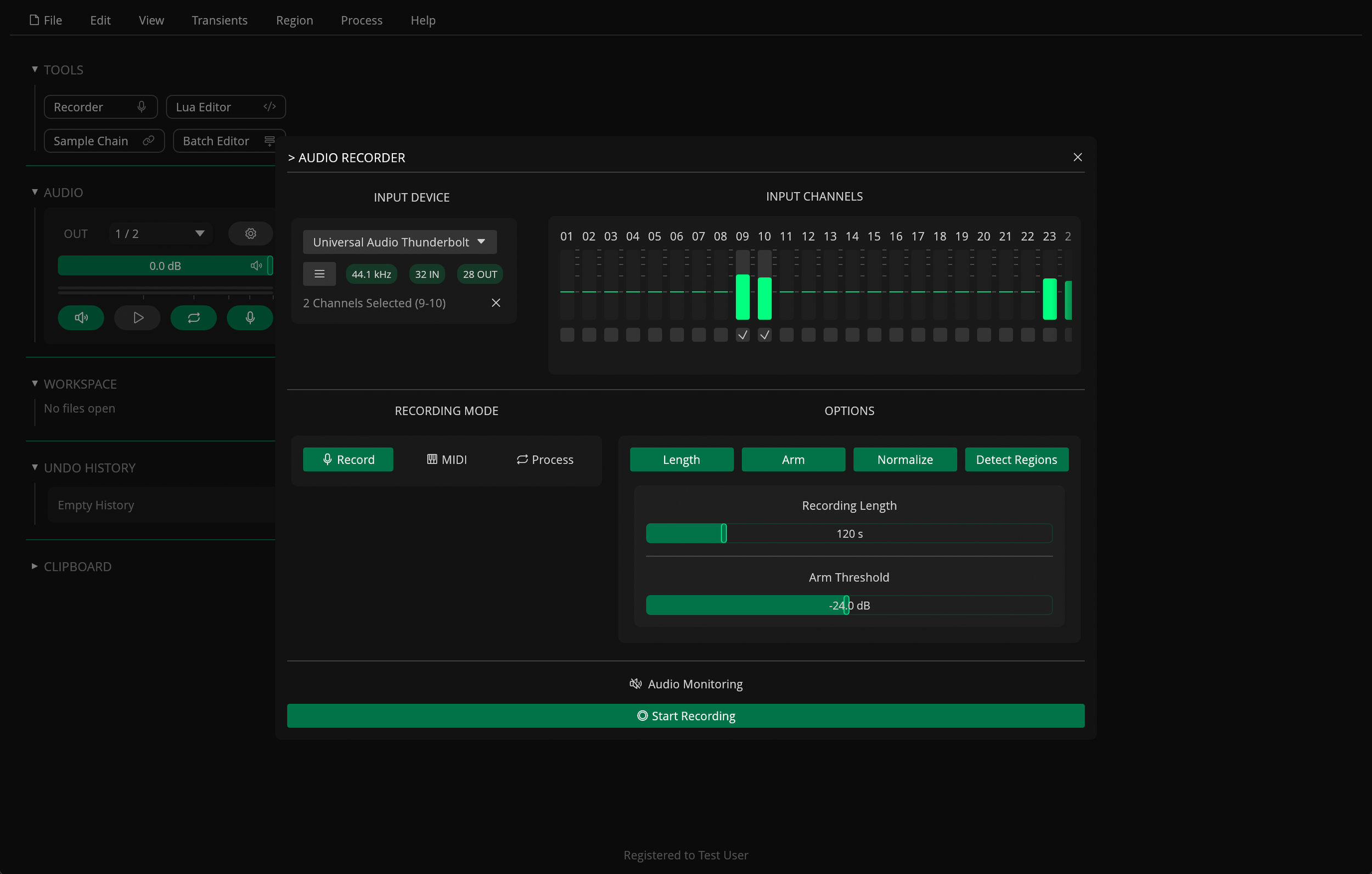
Audio Recorder
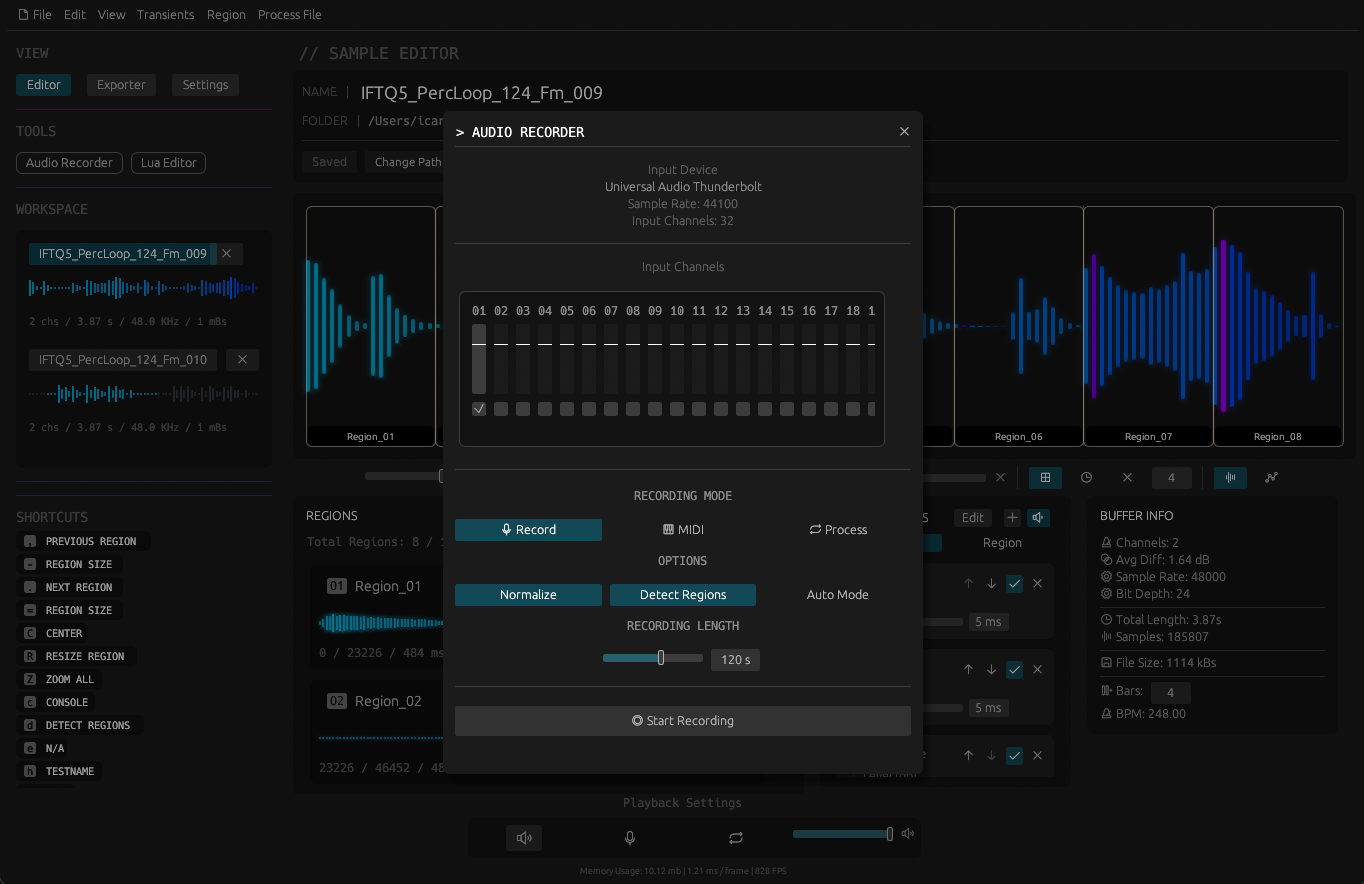
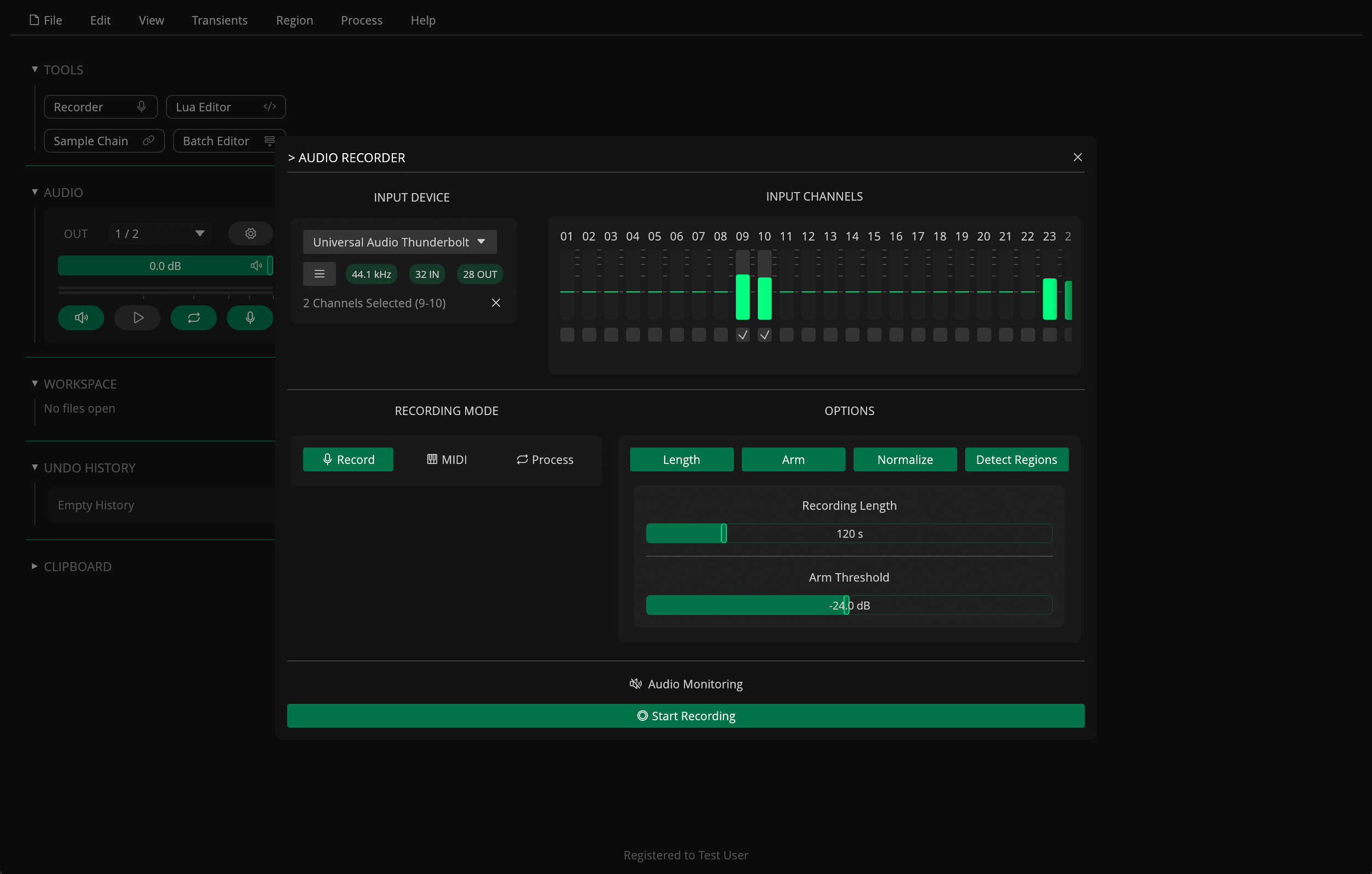
The audio recorder offers different recording modes and options that can be combined when recording new samples.
The MIDI recording mode sends MIDI notes while recording to automatically sample an external MIDI instrument.
The Process mode plays any regions in the active file to a separate output channel in your interface so they can be processed with external hardware effects.
Record indefinitely or set a maximum recording length in seconds to stop recording automatically.
You can also save and recall presets that store the selected input channels and all the recording settings.
Lua Editor
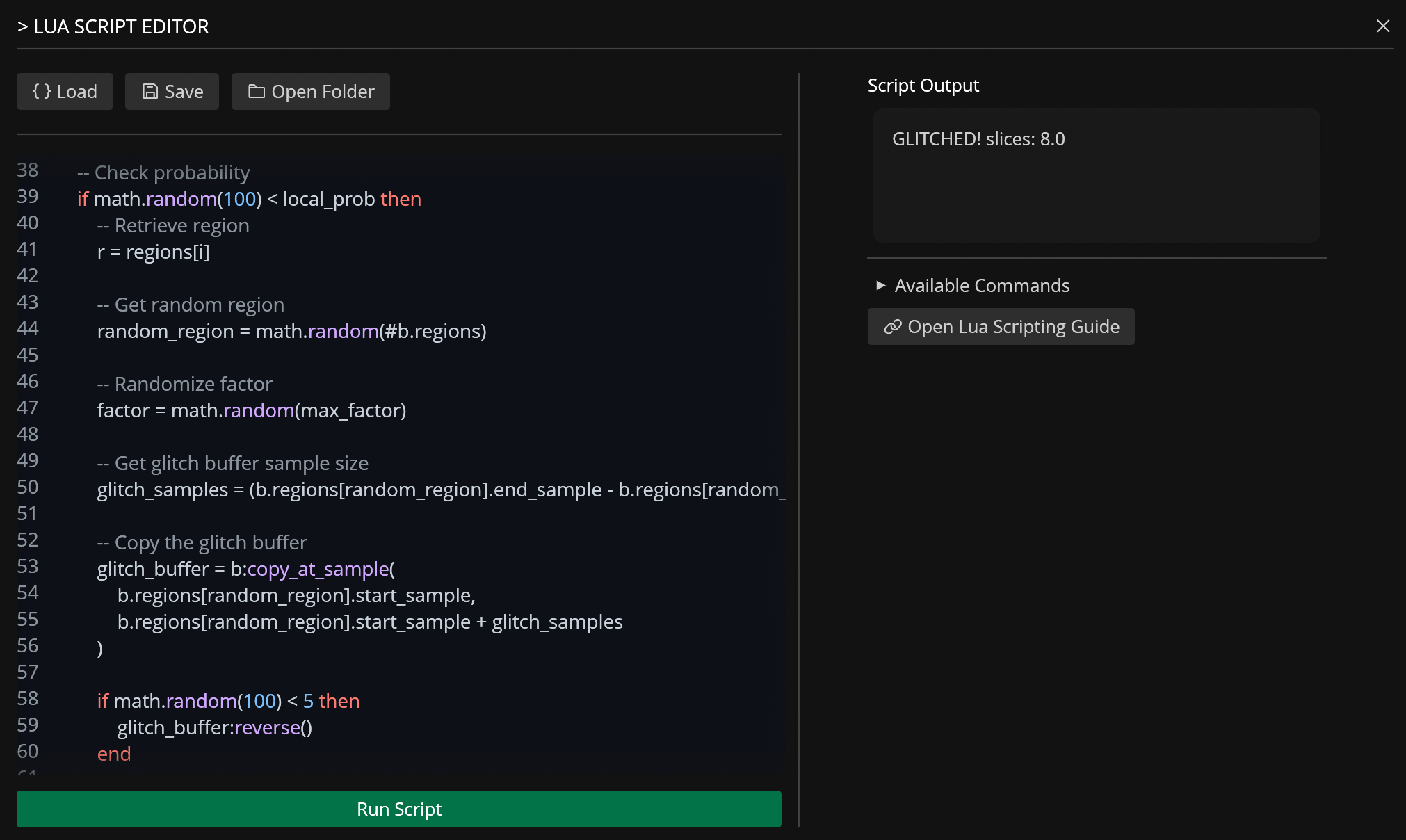
Interact with the different features or even manipulate samples directly via custom Lua scripts.
Lua is a lightweight, high-performance scripting language designed for embedded systems and extensibility, created and maintained by a dedicated team in PUC-Rio (a university in Rio de Janeiro) and used by many games and applications.
For more information about Lua, visit https://www.lua.org/.
For more information about Recorte’s Lua implementation, check out the documentation available at https://recorte.spektroaudio.com/tool/lua-editor
Sample Chain
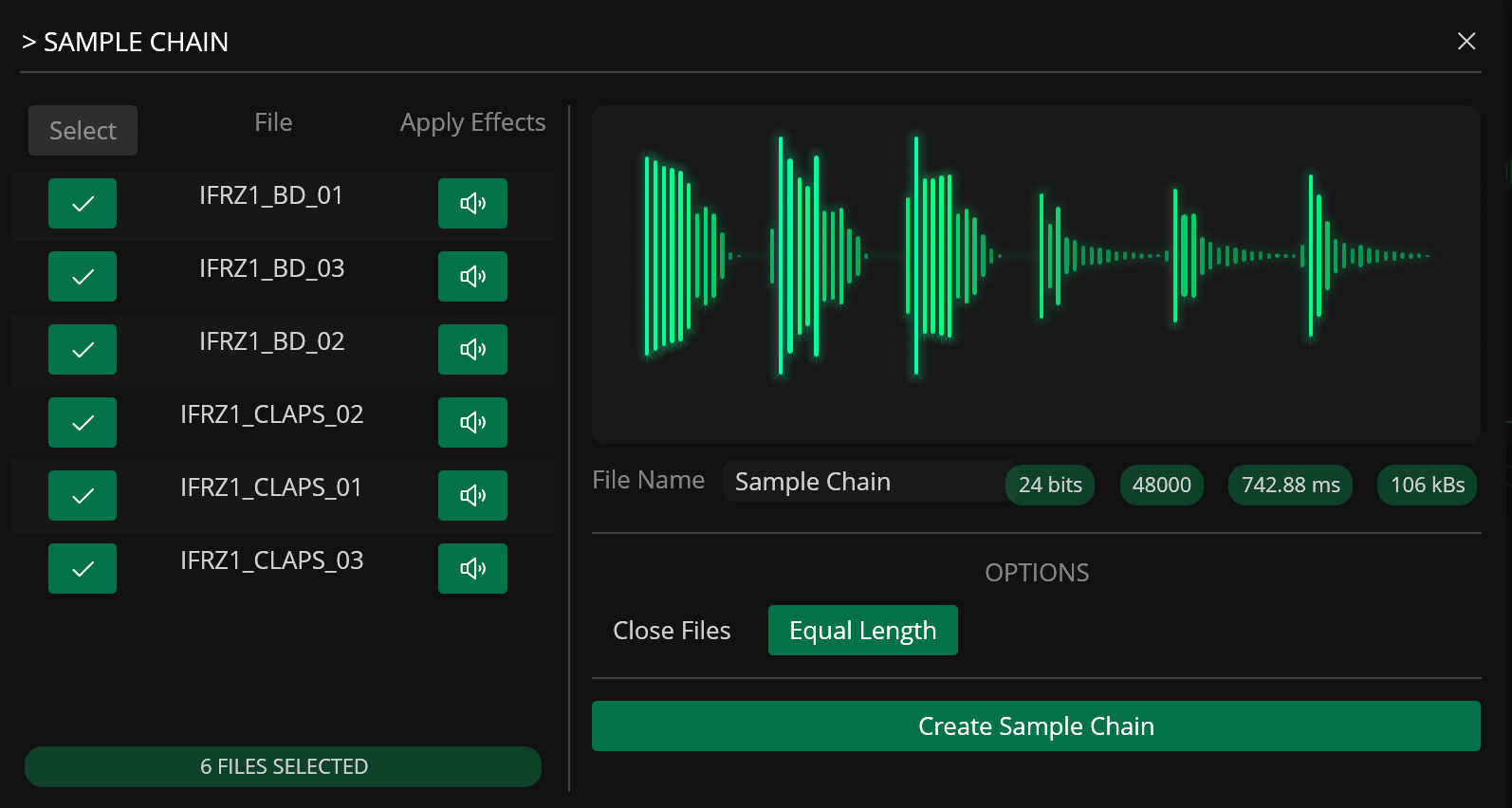
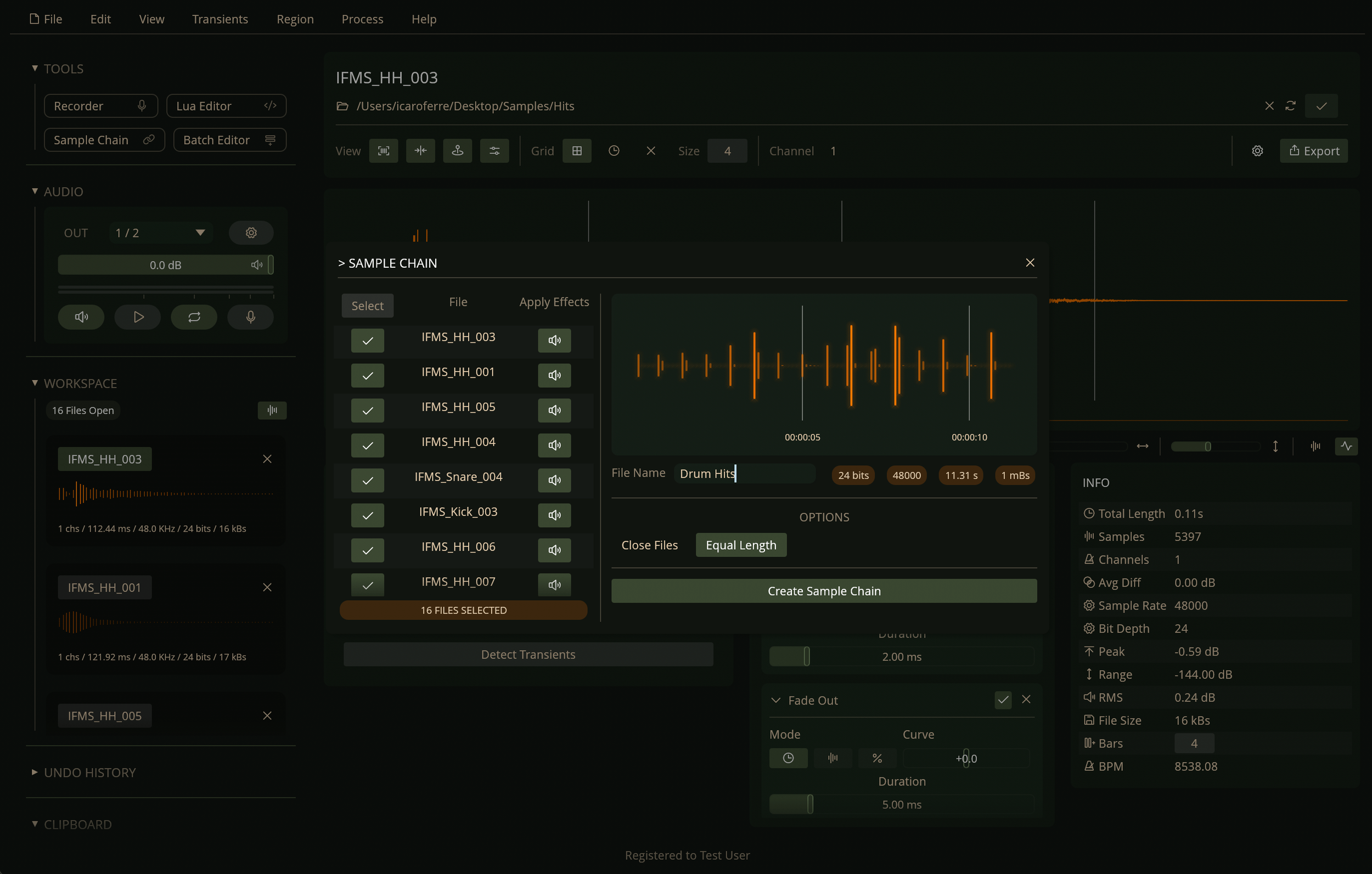
Create sample chains for external hardware samplers such as the Elektron Octatrack and the Teenage Engineering EP-133.
Files can be evenly spaced in the chain with the "Equal Length" option so they can be more easily accessed in hardware samplers by slicing by the same number of samples.
Batch Editor
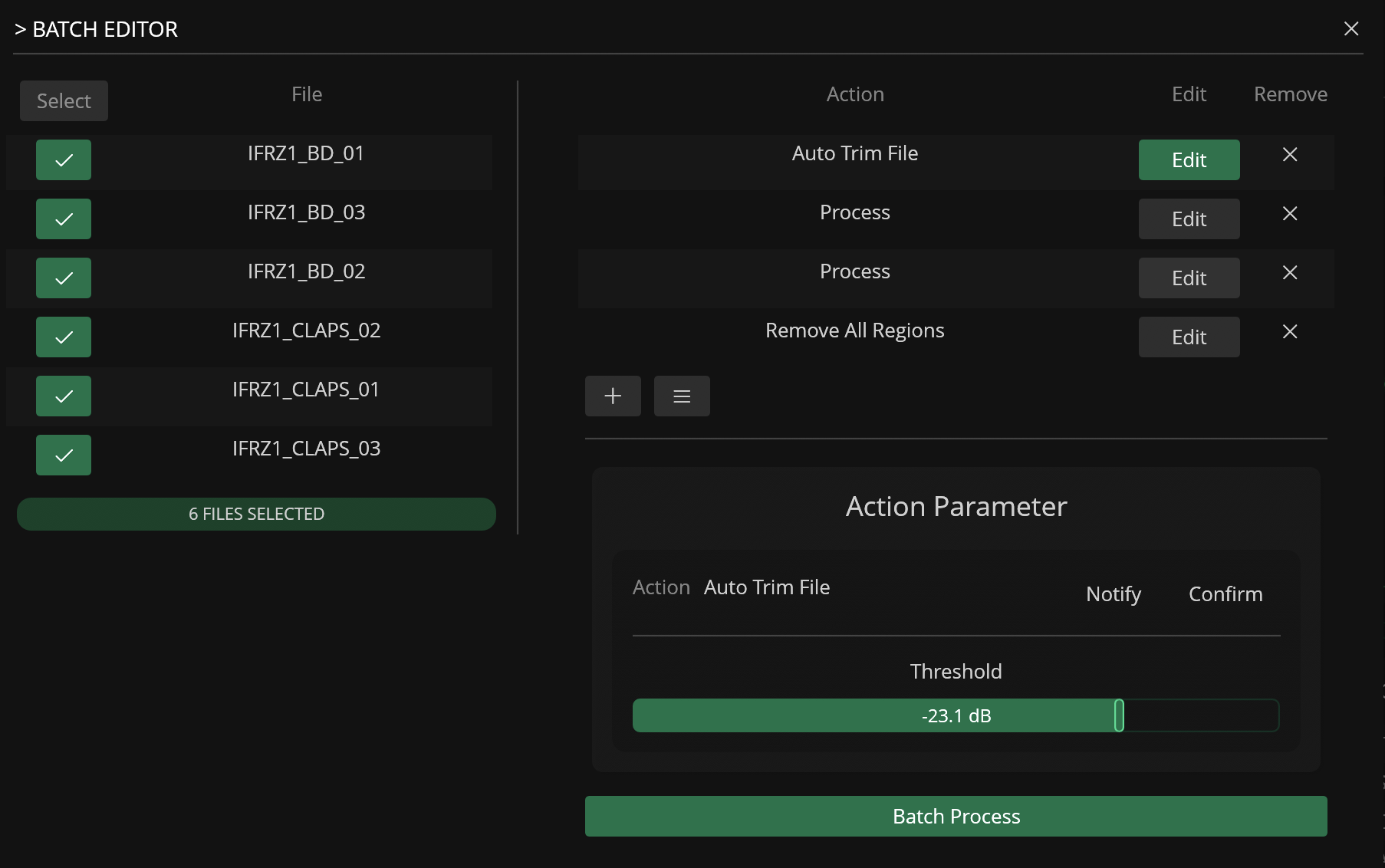
Create custom action lists and process multiple files in your workspace at the same time.
Action lists can also be saved as JSON presets.
Region Resizing
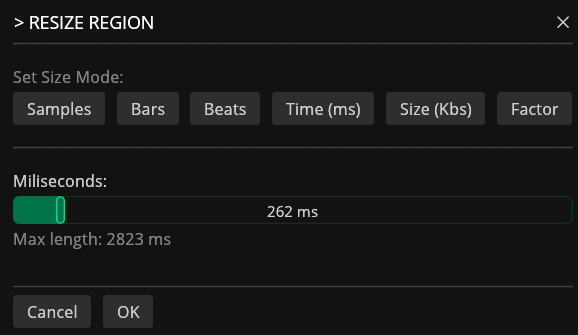
Regions can be resized based on different properties such as number of samples, duration in milliseconds, file size (KBs), or factor.
Batch REGION Renaming
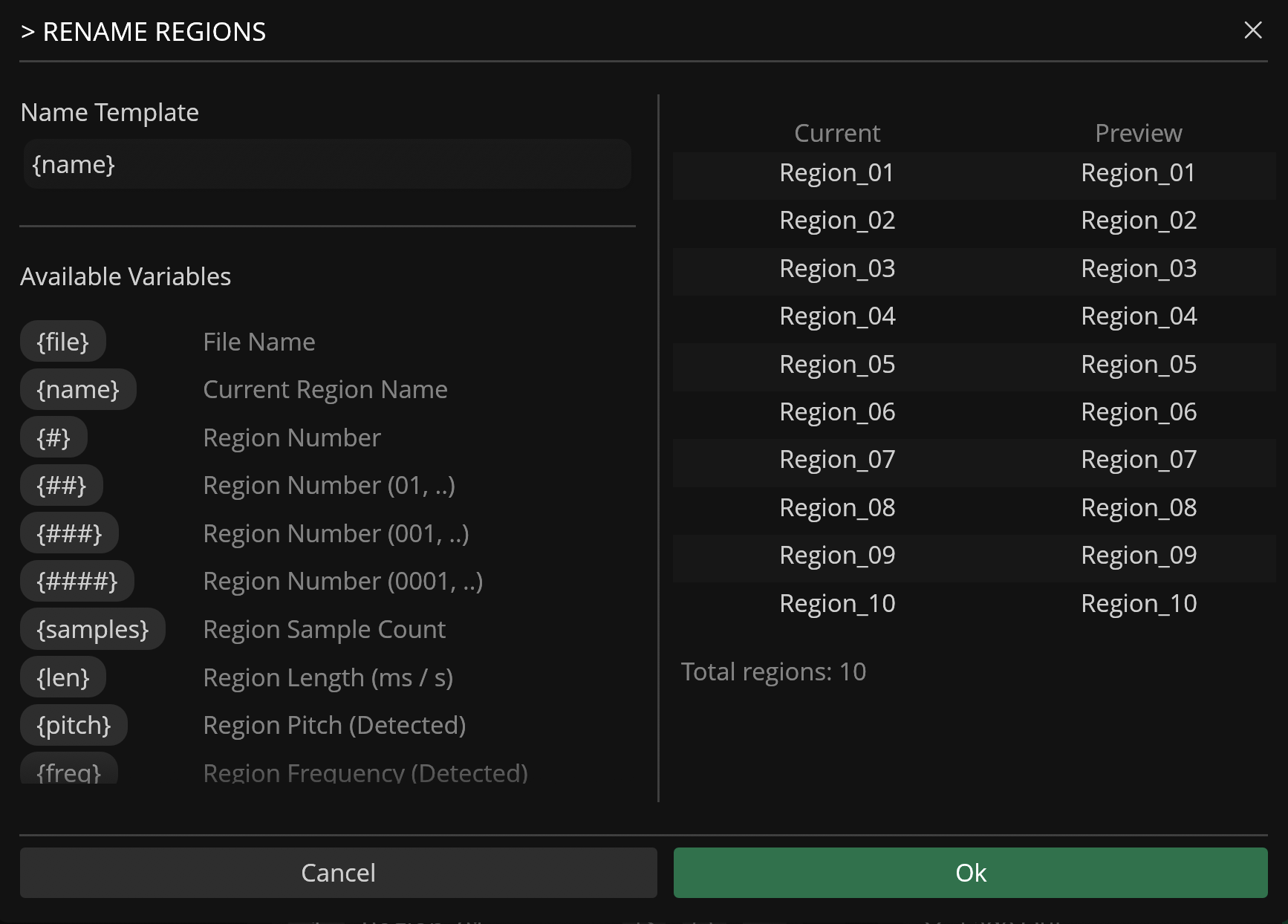
Regions can be batch renamed via the Rename Region modal.
The name template also supports different variables that get automatically converted when renaming the regions.
Send to Sampler
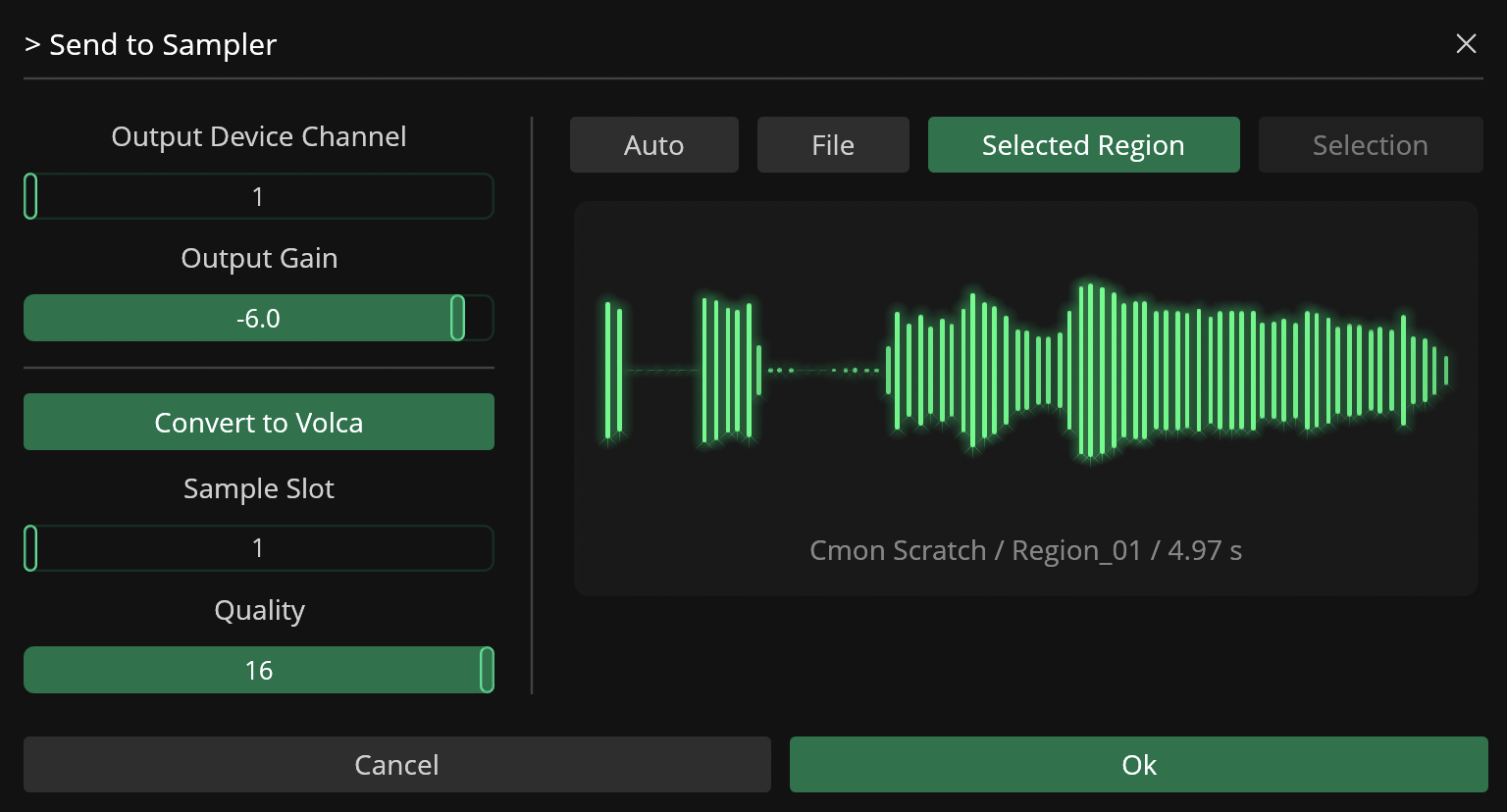
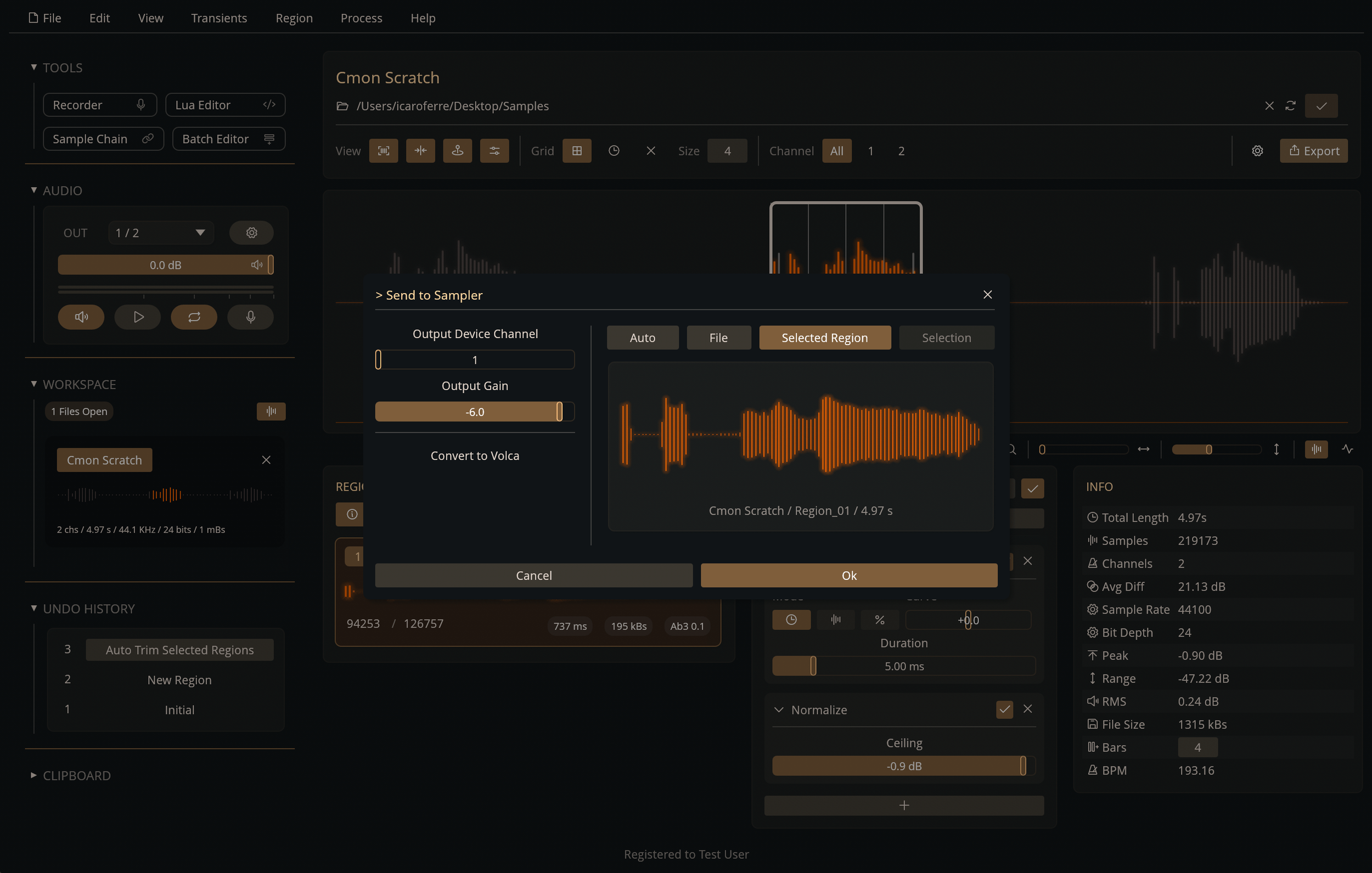
Route and play samples straight from the workspace to an external sampler via a dedicated output in your audio interface.
Recorte also integrates the Korg Volca SDK to convert and transmit samples to the Korg Volca hardware samplers.
Background Audio Processing
Recorte uses a custom audio engine capable of processing files in the background in order to reduce CPU usage during playback and file export times.
Customization
Recorte can also be customized to fit different preferences and workflows via themes and keyboard shortcuts.
Shortcuts
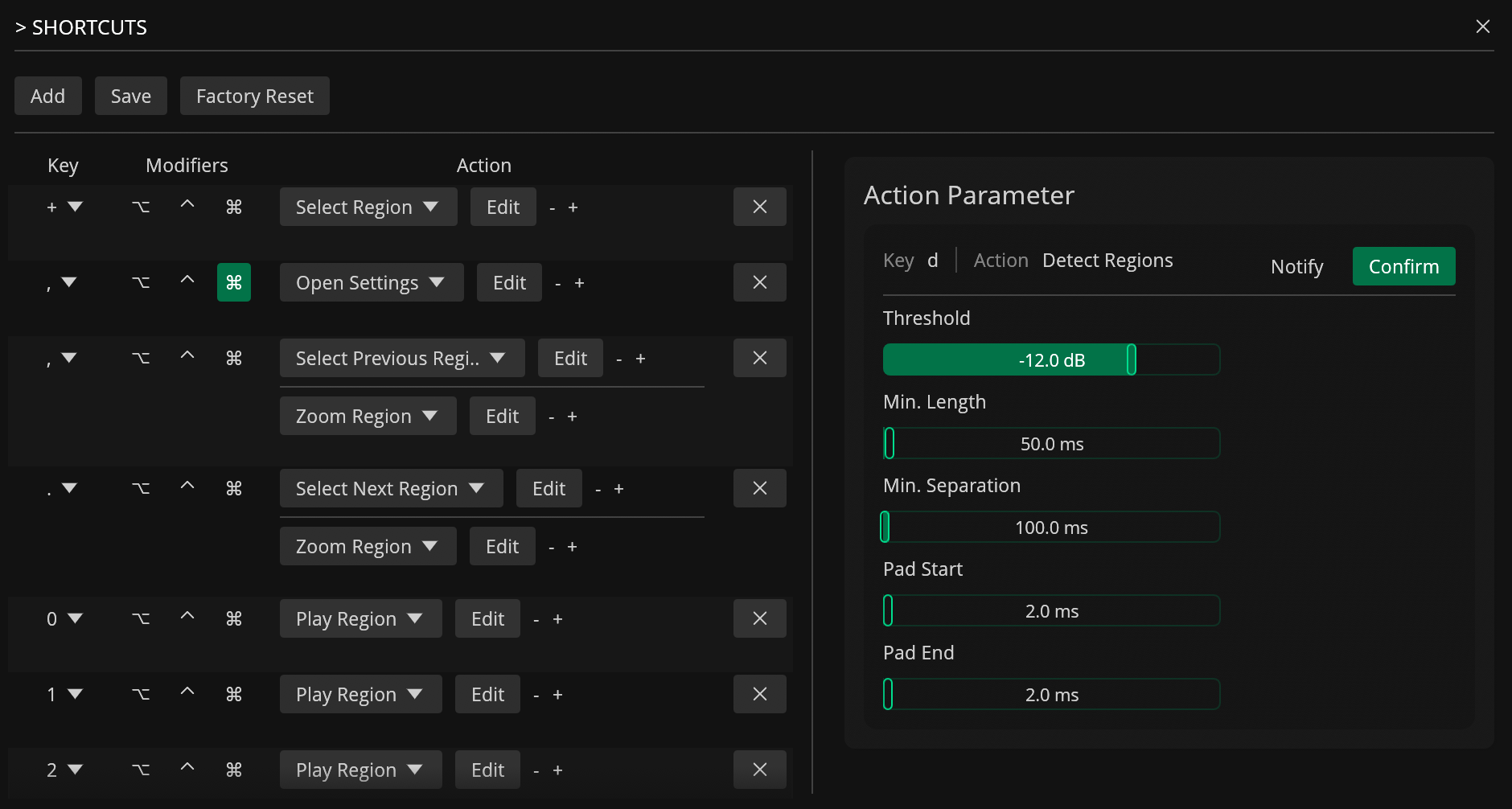
Keyboard shortcuts in Recorte can work as powerful macros and can also be fully customized.
Combine multiple actions in sequence to build custom sequences, or use multiple keys to call the same action with different settings.
Themes
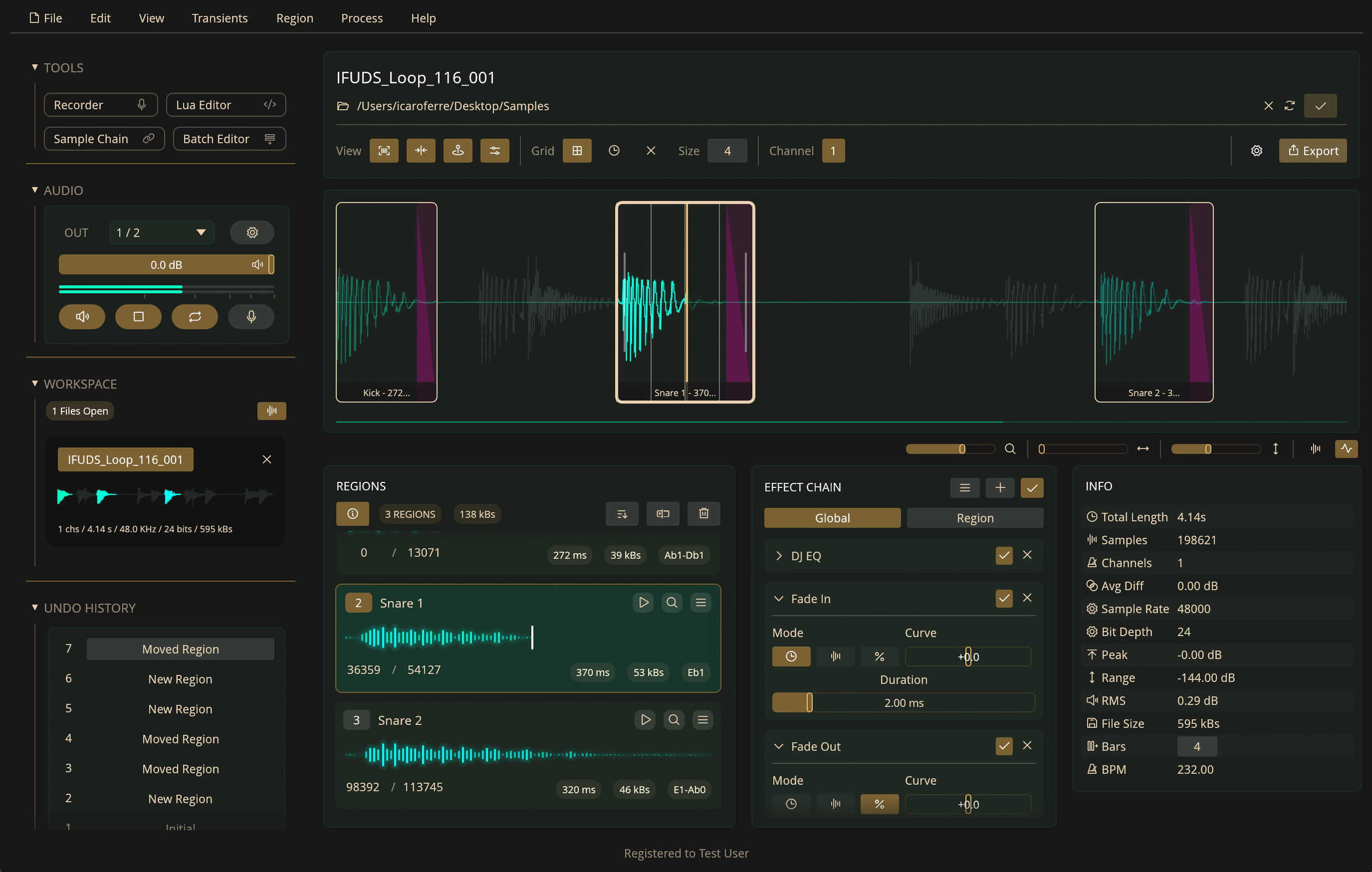
Choose between any of the 15+ themes included or create your own using the built-in Theme Editor.
Many of the themes are inspired, and named after, places in Brazil and some other cultural references.
Technical Information
Recorte is a standalone application written 100% in Rust and available for macOS, Windows and Linux (AppImage).
Recorte was carefully optimized to be lightweight and responsive, delivering a compact app size, fast rendering (over 1500 FPS on mid-spec processors), and minimal RAM usage (~70 MB at idle).
The custom audio engine developed for Recorte can process files and regions in separate threads, in order to reduce processing time and latency, and play them back monophonically or polyphonically.
All the presets (Effect Chain, Audio Recorder, and Batch Editor), shortcuts, and themes are stored as JSON files so they can be easily edited externally and shared.
The main settings are stored in a TOML file that can also be easily read and edited using any text editor.
Additional Technical Specifications
Supports WAV, AIFF, FLAC*, and MP3* files
Batch export system with multiple sample rates and bit depth
Integrated Lua scripting for automation and sample manipulation
Supports the Korg Volca SDK for converting files for the Korg Volca samples
MIDI-triggered automatic sampling and external process mode
Scalable and responsive UI
JSON-based presets for effect chains, shortcuts, and themes
Custom audio engine with background rendering
Multi-threaded application
Hardware accelerated graphics
Memory-safe architecture written 100% in Rust
Voiceover support via AccessKit
* Import only
Pricing & License
Recorte is available for US$49.99.
The user license lets you install it on all your personally owned computers, on any of the supported operating systems, with no additional subscriptions.
You can also try Recorte in your own system by downloading the demo version available (macOS, Windows and Linux).
Check out Recorte at https://spektroaudio.com/recorte
If you’d like to keep up with our latest news, check out our new Spektro Audio forum and make sure to follow us on Facebook, Instagram, or TikTok.
Until next time!
Ícaro Ferre